In e-Communication we're been in graphics for a while now and the work we've done is pretty good. I admit that our work in Video wasn't the best so I was hoping to make it up with our work in graphic design. So far so good. We've almost finished with everything except for our coupon. The work we do have done is our Product and Company logo, our Product Ad and our Website Banner.
The colors that are being used for it are a light blue, grays, white, browns, and black. The company logo is a large 'P' shape with stripes onto of that there being another 'P' shape that is the light blue with the shadow figure of a dog in it. This stand for our company name which is 'Puppy Productions', not my idea for a name but it worked well. To the right of the P's there was two letters which included 'UPPY' and 'RODUCTIONS" since we didn't the the need to put P's in front of the
word since we already had the other design.
We also had to make the Product logo which was very simple to us. It was a simple blue color contained in a circle wit a dog in it. The dog had a bone in its mouth and above the circle it had the words 'Bow-wow' with the '-' being a bone. The words themselves where a lighter blue than the actual one of the circle.
The Web Banner was the hardest to do in my opinion. In seemed oddly plain when we were done with it. The banner was black with our slogan featured to the left of the banned saying 'When you're having a ruff day, count on your dog to know what to say'. In the middle was our Product logo then off to the right was our company logo. In the middle of the banner was a white circle that blended with the rest of the black banner.
The Product ad was different than that of the Product logo. It's a square ad with a black background and on the top left corner is our company logo. In the top middle is the Product logo, which looks much bigger than the company. The Product logo has been given a drop shadow and there are splatters of paint going behind it. Below that logo there's the slogan we've been using.
The coupon is looking very well. The coupon has our product logo in the center of a square, which is cut diagonally with the left side being a more brownish and the right being a light shade of gray. Besides that there is the slogan to the right of the scanner.
Thursday, May 4, 2017

Thursday, March 9, 2017
Website
Recently, these couple weeks we have all been working on two different projects. The first one is our last video that we've been filming, the Chase Scene. The other one is a website project that this out will talk more about. I'm very proud of how it turned out. We made this using DreamWeaver and interactions that were available to us in GoogleClassroom.
The process for all of this was incredible easy, starting with us opening DreamWeaver then making a new file. From there we attached the new pile to the file containing the poem and some others. After that we started editing. Going into different sectors we edited each of them according to the instructions that were included in GoogleClassroom. When finishing we would then open it up in Safari and took screen shots.
There was nothing new here, we just simply followed the same intrusions that we had on our last web project. Although this one did prove to be differently made since instead of putting our latest projects on it, we instead put a poem on it. The only part that proved to be difficult would be the part where we had to put the font into the code instead of where we would regularly put it.
If I had to this all over again I would pay more attention to the instruction but other than that I would do nothing else differently since I think this is one of my few projects that turned out very well first try. Still, I will admit having a few difficulties with the instructions here and there. Mostly because of how unclear they could be.
Overall this was a fun project and easier than expected even with it few bumps here and there. Coming up next is the Chase Scene. My finished product (right) compared to the original (left):


The process for all of this was incredible easy, starting with us opening DreamWeaver then making a new file. From there we attached the new pile to the file containing the poem and some others. After that we started editing. Going into different sectors we edited each of them according to the instructions that were included in GoogleClassroom. When finishing we would then open it up in Safari and took screen shots.
There was nothing new here, we just simply followed the same intrusions that we had on our last web project. Although this one did prove to be differently made since instead of putting our latest projects on it, we instead put a poem on it. The only part that proved to be difficult would be the part where we had to put the font into the code instead of where we would regularly put it.
If I had to this all over again I would pay more attention to the instruction but other than that I would do nothing else differently since I think this is one of my few projects that turned out very well first try. Still, I will admit having a few difficulties with the instructions here and there. Mostly because of how unclear they could be.
Overall this was a fun project and easier than expected even with it few bumps here and there. Coming up next is the Chase Scene. My finished product (right) compared to the original (left):


Friday, February 24, 2017
Apple Description
For some reason today in e-Com the teacher has decided to tell us to write about an apple, which picture is right now up on the board. It’s a red apple with yellow an the top, slightly streaking down from it. The apple has some shine going off of it and a stem poking out from the top. It’s very round, I’m not so sure where i’m going with this so to continue it looks delicious.
_________________
This was to be a test to see whether we're more intuitive or sensing and I think I leaned more towards sensing with this quick project.
Tuesday, February 21, 2017
I'm a... Beaver?
After a three-day weekend we're finally back in school and in e-Com once again. So far in the start of this week we have taken a quiz that shows to which animal we relate to the most. Apparently I got the animal of a beaver. Beavers, (or at least so the quiz says) are a organized type that think there is a right way to do everything and they want to do it exactly that way. They're creative and want to solve everything. So far I'm agreeing with everything that I'm reading about this but my only disagreement is the whole 'beavers take their time' which appears later in the paragraph. I'm always rushing about. But overall I think it was pretty accurate.
When we were done with this test we then took another test which determined who we are with the following different types, Invert or Extrovert, Intuitive or Sensing, Thinking or Feeling, Judging or Perceiving. I got INTJ, which I think describes me fairly well. So far I'm liking the quizzes we're taking and how accurate they are.


When we were done with this test we then took another test which determined who we are with the following different types, Invert or Extrovert, Intuitive or Sensing, Thinking or Feeling, Judging or Perceiving. I got INTJ, which I think describes me fairly well. So far I'm liking the quizzes we're taking and how accurate they are.

The INTJ personality is very interesting in my opinion, so I'm glad to have it. However I don't think I'm a very 'judging' person. I'm not so sure yet what being judging is supposed to mean but I don't believe it suits me.

I think I'm more perceiving than judging since perceiving people are more adaptable to situation while judging aren't. I'd like to think I'm more perceiving than judging. Everything else gets me really well though, I'm definitely an introvert, intuitive and thinking. I can agree wth being a introvert since I'm not talker and not one to make friends easily. It's also nice to see celebrities who share this personality type as me.

Wednesday, February 8, 2017
From A to B
Recently in e-Communication we were partnered up to make a video where we would be trying to get from one place to another, in this project I took all the footage while my partner walked form the second floor of the school to our courtyard. We used the 6 shot system and attempted to ry to use he rule of thirds, though I don't think that went well. But overall the project was actually proved to be fun to do and in the end i actually liked how it turned out.
The Process
Getting the camera and stand for it was easy, using it was harder. Unlike in the other video I took for the six shot system, in where we had normal stand the stand that we had in this project was slightly damaged making it harder to stand up correctly.
We started at my locker, which was conveniently on the second floor. Writing a quick scribbled note, my partner acted to be surprised then we began the process of walking down the halls and stairs all the way to the courtyard. Getting to the courtyard was harder than you might've imagined since the doors were at first locked, leaving me and my partner on a small journey to find a custodian.
What I Learned
If anything I learned that when making a video like this, it's better to make 50% of it close-ups/extreme close-ups. This makes the video more interesting in a way. Besides that we still used Premiere and the same camera's as last time so I didn't actually learn much this time.
What Could Have Gone Better
Some of the shots I actually didn't like at all. There's this one shot of going down the stairs, but the camera was angled wrong and it paned the shot. I didn't notice until editing the video, so I'm really annoyed at that shot. And in another shot you can see he camera stand in the background. Giving the chance to that again I would be more careful of the camera and what's in the shot.
Thursday, January 26, 2017
The 6 Shot System
Process of Making the Video
Recently in e-Com we've taken it upon ourselves to make a video that includes the six shot system in it, including all of the shots. While some people for more creative ideas I chose to do something more simple. My video is just me on a laptop using all of the shots which include, wide shot, establishing shot, close up, over shoulder, median shot and extreme close up.
The filming part was actually kind of annoying since we had to set up the camera at all different angles to make sure we had the different shots. After taking all of the videos in different shots we then went to Adobe Premier to put everything together. It was really easy to do, after placing all the videos in the correct order. From there it was easy to unlink the videos from their sound, take away the sounds and replace it.
What Was New
Until this assignment I had ever used Adobe Premier before, it proved to be actually very simple to use. We simply dragged the videos into the program and then stated editing it with the tools provided form the program, which included shortening the video and changing the sound. I took out the sound in my video and put in a song that I hope fit the theme of my video.
Afterwards, uploading the video to youtube, was not new, but putting it on google classroom was actually something I'd never done before and too me sometime to figure out.
What Could've Been Done Better
I admit that during filming I failed to follow the 180 rule at the end of the video. If I ever am to try this again I will be sure to fix that mistake. Besides that I didn't really like where I had sat during the video. Overall I think I did a decent job.
We also got feedback of our work from our classmates. Some of the feedback I got was mostly about how the camera was shaky during one of the shots and that the music I chose didn't much fit what I had been doing in the video.
Recently in e-Com we've taken it upon ourselves to make a video that includes the six shot system in it, including all of the shots. While some people for more creative ideas I chose to do something more simple. My video is just me on a laptop using all of the shots which include, wide shot, establishing shot, close up, over shoulder, median shot and extreme close up.
The filming part was actually kind of annoying since we had to set up the camera at all different angles to make sure we had the different shots. After taking all of the videos in different shots we then went to Adobe Premier to put everything together. It was really easy to do, after placing all the videos in the correct order. From there it was easy to unlink the videos from their sound, take away the sounds and replace it.
What Was New
Until this assignment I had ever used Adobe Premier before, it proved to be actually very simple to use. We simply dragged the videos into the program and then stated editing it with the tools provided form the program, which included shortening the video and changing the sound. I took out the sound in my video and put in a song that I hope fit the theme of my video.
Afterwards, uploading the video to youtube, was not new, but putting it on google classroom was actually something I'd never done before and too me sometime to figure out.
What Could've Been Done Better
I admit that during filming I failed to follow the 180 rule at the end of the video. If I ever am to try this again I will be sure to fix that mistake. Besides that I didn't really like where I had sat during the video. Overall I think I did a decent job.
We also got feedback of our work from our classmates. Some of the feedback I got was mostly about how the camera was shaky during one of the shots and that the music I chose didn't much fit what I had been doing in the video.
Thursday, January 12, 2017
Camera Shots
In e-Communication we all officially entered the video part of the course, which has so far been very fun, with our first assignment being to take pictures sing the different types of shots. The shots that we've recently been learning include, wide-shot, median shot, extreme wide-shot, close-up, extreme close-up, and over-the-shoulder. After choosing a partner, we took pictures using these types of shots.

The first shot taken above is a extreme-wide shot of the front of our school. It shows the complete front of the main entrance to the school.
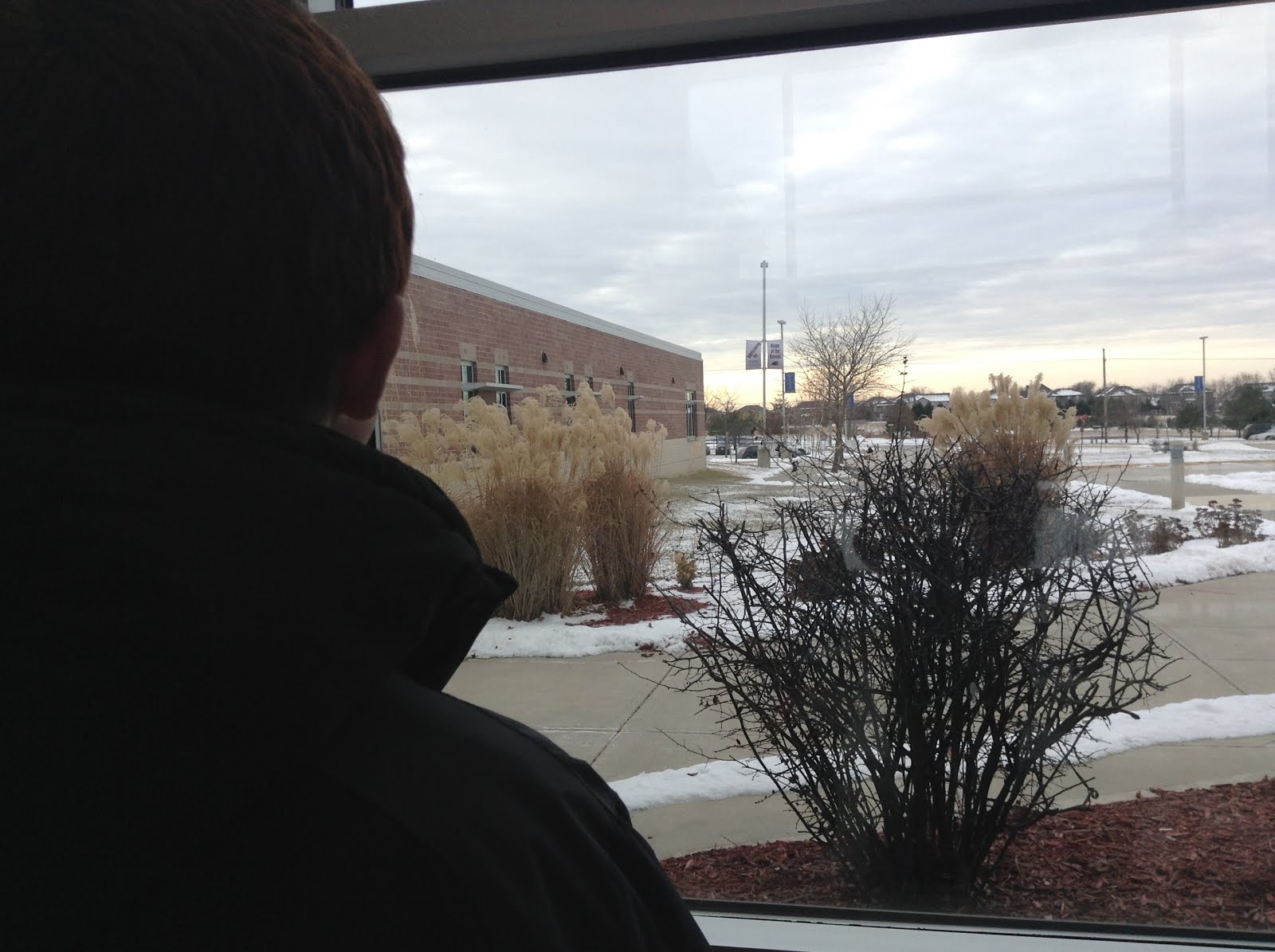
The shot shown above is known as 'over-the-shoulder. Which, quite literally, is just a shot of over the shoulder of someone.

This shot, here, is called a 'median' shot. It shows the complete body of a person.

The shot here is a 'close-up' shot. A close-up shot is one of a person usually shoulders up.

Here is a regular 'wide-shot' of school hallway.

In this photo is shows nothing more than the persons face, which s known as an 'extreme close-up' shot.
So far that is what we've done in this new class. It's been pretty fun so far and I look forward to what we will be doing in the near future.
Subscribe to:
Posts (Atom)